

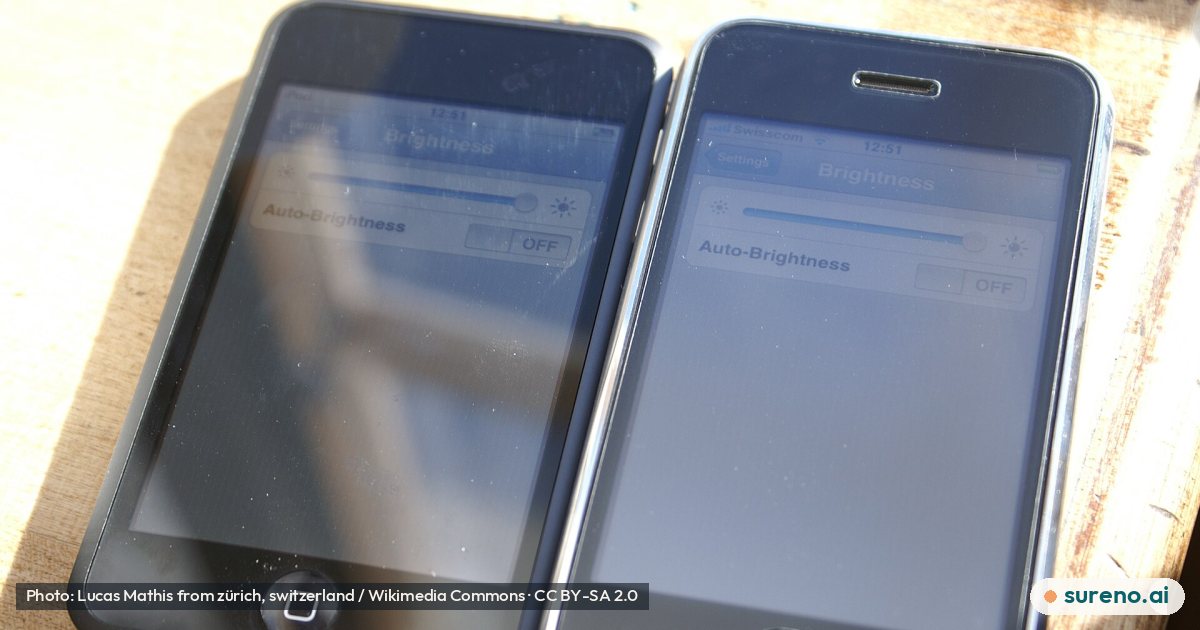
Why You Should Leave the iPhone’s Matte Screen Layer in Place
The matte layer is part of how the iPhone Duo’s inner screen looks and handles reflections, and removing it may leave the display uneven.
The short version
- Leave the iPhone Duo’s matte nano-texture layer in place: it reduces reflections and helps the inner display look more like paper. 1
- A video reported by Gizmodo shows the screen looking glossy, wrinkled, and uneven after someone peeled the layer off. 1
- The matte finish has trade-offs: colors may look less vibrant and blacks less deep than on a glossy foldable display. 1
- The Coolpad Cool X Wide is another wide-screen phone, but it does not fold; its screen has a 16:10 aspect ratio. 2
What is the iPhone Duo’s matte screen layer?
It is a matte layer on top of the iPhone Duo’s inner display, described in the reporting as a nano-texture layer. It changes how the screen looks: content can appear more paper-like, and reflections are reduced. 1
The layer is also part of the reported approach to making the foldable screen’s crease less noticeable. The source does not explain how the material is made or provide technical measurements of its effect. 1
Why should you leave the layer in place?
Because removing it may change the display in ways that are hard to reverse yourself. In a video shared on X and described by Gizmodo, the display looked glossy, wrinkled, and uneven after the layer was peeled away. 1
That video is an example, not a controlled test, so it cannot establish what would happen in every case. Still, the reported result is a reason not to treat the layer as ordinary packaging or a removable protective film. 1
Does the matte layer have any downsides?
Yes. Gizmodo says the matte display can make colors look less vivid and blacks look less deep than a glossy foldable screen. 1
That is a trade-off in appearance, not evidence that the layer is defective. The source describes reduced reflections and a paper-like look as benefits, while noting less vibrant colors and blacks as drawbacks. 1
Can you replace the iPhone Duo’s screen layer?
Gizmodo reports that Apple offers nano-texture replacements for $19 to customers with AppleCare+. 1 The supplied report does not spell out the full eligibility rules, where replacement is available, or whether the fee and service details may change.
If the layer is damaged or already removed, check with Apple or an authorised service provider for current, device-specific options. Do not assume the reported price applies to every owner or situation.
Are other wide-screen phones like the iPhone Duo foldable?
Not all phones with a wider screen fold. The Coolpad Cool X Wide, reported by The Verge, has a 16:10 screen and is a conventional non-folding phone. 2
That comparison is useful for distinguishing screen shape from screen construction. The Coolpad article describes a wide display, but it does not provide evidence about the iPhone Duo’s matte layer or how it should be handled. 2
What should iPhone Duo owners take away?
The simplest conclusion is to leave the matte layer alone unless Apple or a qualified service provider tells you otherwise. It contributes to the screen’s reflection control and appearance, and the video reported by Gizmodo shows that peeling it off can leave the display looking uneven. 1
The available reporting does not establish how durable the layer is, how it should be cleaned, or what all repair options are. For those questions, use Apple’s current support information rather than relying on a viral video.
What we don't know yet
- The sources do not provide technical details about the nano-texture material or how it is attached.
- The reported video is not a controlled test and does not show what happens in every removal attempt.
- The supplied reporting does not give complete eligibility, availability, or service details for replacement layers.
- The sources do not explain recommended cleaning methods or the layer’s expected lifespan.
Share this explainer
A browser that helps you stay safe
Sureno is a Chromium browser with plain-language privacy settings and an assistant that only reads a page when you ask.
Questions people ask
Can I peel off the iPhone Duo matte screen protector?
The layer is described as a nano-texture layer on top of the inner display, not simply as packaging. A video reported by Gizmodo showed a glossy, wrinkled, and uneven-looking screen after it was peeled off, so owners should leave it in place. 1
What does the iPhone Duo nano-texture layer do?
It reduces reflections and gives screen content a more paper-like appearance. The reporting also says it helps make the foldable display’s crease less noticeable. 1
Will removing the iPhone Duo’s matte layer damage the screen?
The available source does not establish exactly what damage may occur in every case. It describes one video in which the exposed display looked glossy, wrinkled, and uneven after removal. 1
Does the iPhone Duo matte layer affect screen colors?
According to Gizmodo, colors look less vibrant and blacks less deep than on a glossy foldable screen. The matte finish also reduces reflections and gives the display a more paper-like look. 1
How much does an iPhone Duo matte layer replacement cost?
Gizmodo reports a $19 replacement for customers with AppleCare+. The supplied report does not explain all eligibility conditions or whether the price applies in every location, so check current Apple support information. 1
Sources
- This Is Why You Don't Peel Off the iPhone Duo's Matte Screen Layer — Gizmodo, 2026-10-22
- Coolpad’s new $150 Android phone has a wider screen like the iPhone Duo, but doesn’t fold — The Verge, 2026-10-22
Free tools for this
They run in your browser. Nothing is uploaded and there is nothing to sign up for.
More to read
 Tech & Online SafetyWhat to Know About Apple’s iOS 27.2 UpdateOct 27, 2026 · 3 min read1 view
 Tech & Online SafetyWhat Anthropic’s Planned Stock-Market Debut MeansOct 27, 2026 · 4 min read1 view
 Tech & Online SafetyWhat Apple’s M6 iMac Refresh Means for BuyersOct 27, 2026 · 4 min read1 view
 Tech & Online SafetyWhy a Foldable iPhone Screen Could Crack at the HingeOct 28, 2026 · 4 min read0 views
 Nature & AnimalsCould a Weak Polar Vortex Affect Canada’s Winter?Oct 28, 2026 · 3 min read0 views
 Tech & Online SafetyWhat Google’s Genie 4 AI World Model DoesOct 28, 2026 · 4 min read0 views
 Tech & Online SafetyHow Sebastian Raschka Teaches Reasoning Models From ScratchOct 27, 2026 · 4 min read0 views
 Tech & Online SafetyWhat Microsoft’s Employee Buyouts Could Mean for WorkersOct 27, 2026 · 3 min read0 views
 Tech & Online SafetyAnthropic’s Planned IPO: What Public Investors Should KnowOct 27, 2026 · 5 min read0 views
 WorldHow Israel’s Election Works and What Happens NextOct 28, 2026 · 5 min read0 views